Format


Format |
|
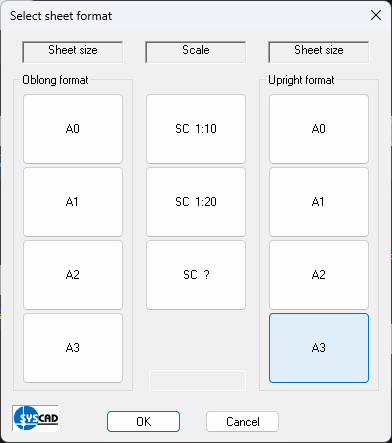
Click on FORMAT Select a field for the sheet format, e.g. "A0", and pick one of the fields for the scale, e.g." SC 1:10". The drawing format A0 is scaled 10 times at insertion. So the elevation can be drawn in scale 1:1 and there is no need for converting the dimensions. When selecting the field "SC?" you can choose any scale you need, for example 1:50. Enter the value, here 50, in the input field.
The menu item FORMAT 1:1 scales the entire drawing down, using the previously selected scale factor (in our example 10). So the elevation is shown on a scale of 1:10, sections on a scale of 1:1. Attention: Please use this command only if you work exclusively in model space. If you use the paper space, you can do without this command. I.e. simply draw the view 1:1 with the following commands. You can create the viewport with the corresponding SYSCAD commands. |